In this article, we will explain to you how to install laravel in xampp or wamp. here we give you a simple example of how to install laravel in xampp.
If you want to install laravel framework then first require to PHP 7+ version for the installation latest laravel and require the composer.
Step1: Download the composer and install the composer. follow below URL to you can download composer https://getcomposer.org/
Step2: After the installation composer, open the cmd and check the below command to the composer is installed or no.
composer
See below a screenshot example of how to check whether the composer is installed or not.

Step3: Go to in your www or htdocs folder directory and run the following below laravel installation command.
composer create-project --prefer-dist laravel/laravel laravel
Above command run after laravel latest version was successfully installed.
See the below screenshot example of laravel installation.
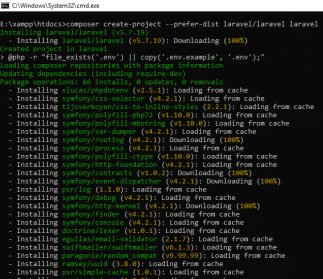
Step4: Move to in your project directory after the installation laravel. see below screenshot example of move directory.
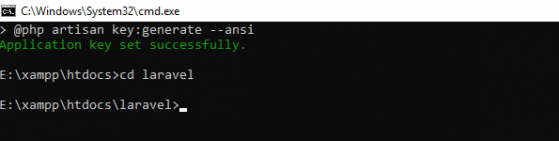
Step5: But, if you want to run the laravel then follow the below command.
php artisan serve
See below a screenshot example of how to run laravel.

Step6: Copy Url such as “http://127.0.0.1:8080” above screenshot and open the browser and paste the copied URL then laravel has been installed successfully. See the following screenshot example of successfully running laravel.

Search
Tools
Category
Latest Post
Popular Post
- Angular 10 – Can’t bind to ‘formGroup’ since it isn’t a known property of ‘form’
- Php Login And Registration Example
- Codeigniter 3 Deprecated dynamic properties in PHP 8.2
- PHP Registration with Email Verification using OTP
- Laravel 11 Ajax CRUD Example
- How to add multiple markers in google maps using Codeigniter
- Angular 15 CRUD Application Example Tutorial
- Laravel 12 Ajax CRUD Example